☰
Natural-language queries in, generative answers out — on Lucid's primary search surface.
Lucid's document list is the primary surface people use to find the decisions, workflows, and infrastructure documentation their teams have created and stored — but beyond basic filters, search itself could only match keywords, not understand what someone was actually asking.
I led this 0-to-1 initiative from concept through delivery, incorporating a generative-AI experience into Lucid's core search. The system reads intent in what someone types and, when there's enough to work with, surfaces a compact AI-generated answer above the traditional results, automatically. Released internally in July and externally in August 2026; adoption metrics are being tracked post-launch.
Lead designer on a 0-to-1 AI initiative.
Search has always mattered at Lucid. People build technical workflows, cloud infrastructure diagrams, product roadmaps, and org charts inside the product — and finding that knowledge again has long been a priority, one we've kept investing in across accuracy, performance, and usability.
At the same time, what people expect from search has been shifting. Search itself has been moving along a spectrum — from retrieval toward answering — and that shift has raised the bar for what people expect a search experience to do.
At this particular moment, both were true — search still mattered as much as ever, and generative AI had finally made a better version of it possible. That's the opportunity this project set out to act on.

An engineer on the search team built a coded prototype that layered AI directly into doclist search and demoed it to the team. It proved the potential — AI surfaced accurate matches based on what was asked — but it also surfaced two problems.

1. Performance, and the perception of it. AI-generated results took meaningfully longer to load than a normal search. And because nothing on screen indicated AI was involved, that delay didn't read as a new capability warming up — it just felt like search had gotten slower.
.png)
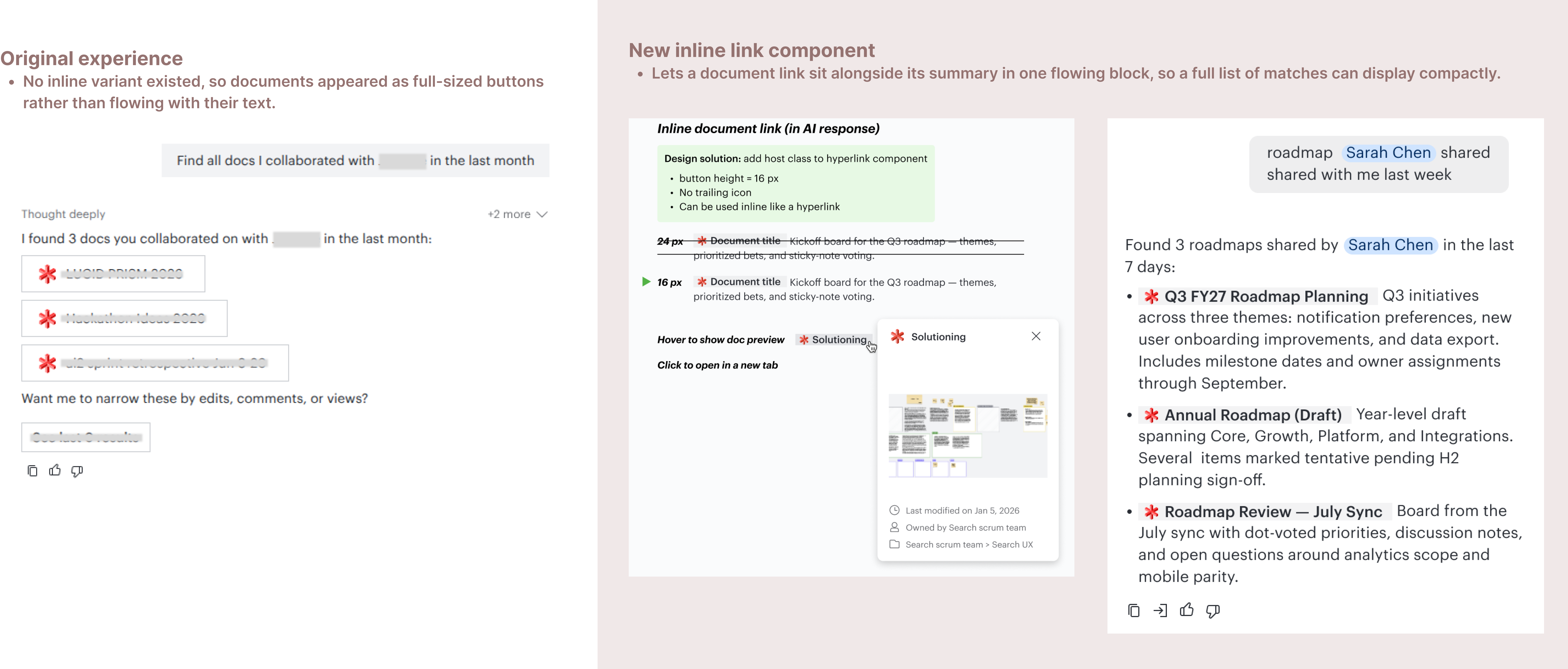
2. The traditional results format showed its limits. Reusing the existing layout for AI-generated results caused two distinct issues:
These two problems shaped the decisions that followed.
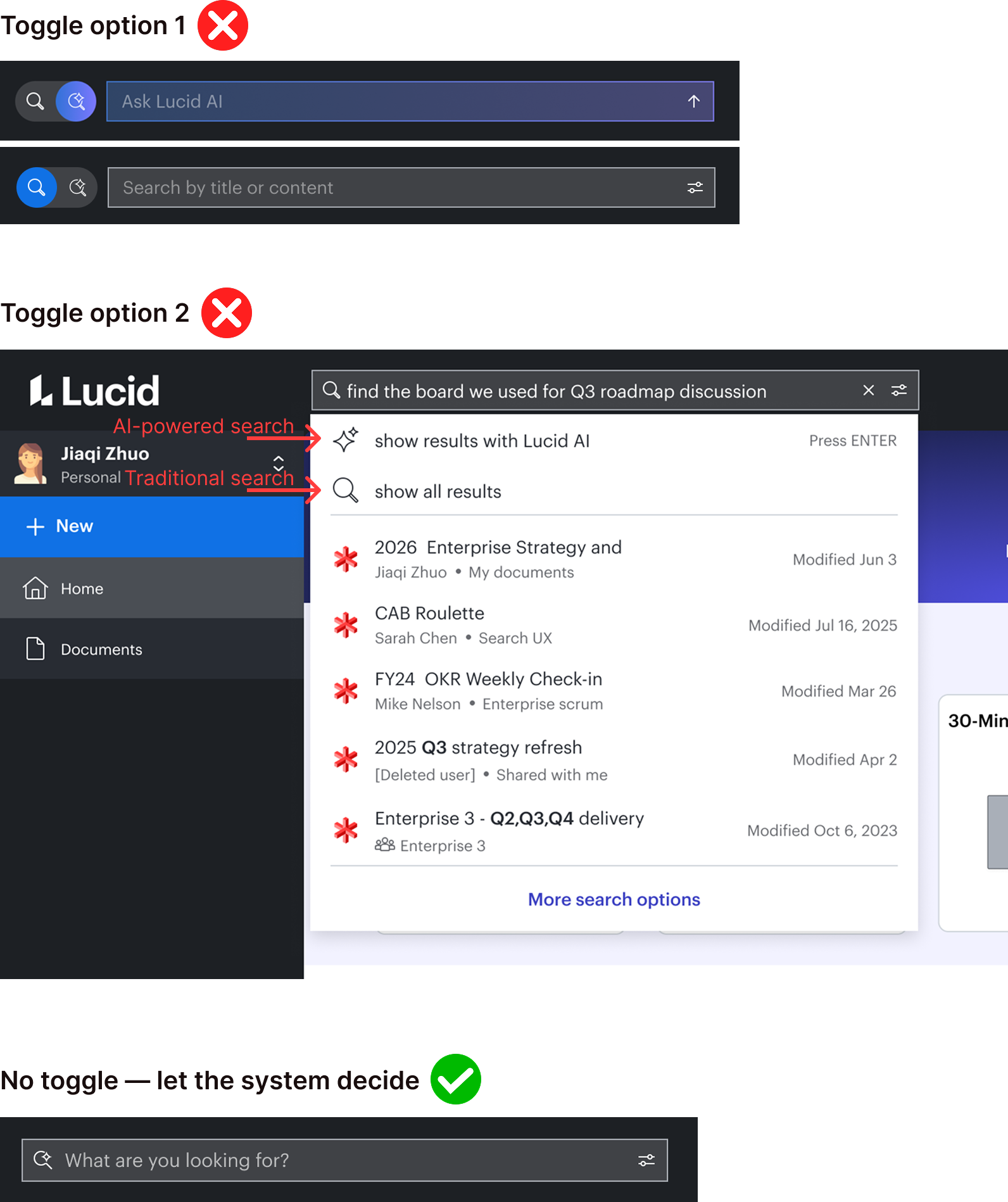
First idea: an AI toggle
If users chose to turn AI mode on themselves, they'd likely expect it to take a moment — making the latency easier to accept.
The problem
AI answer quality depends heavily on what the user gives it to work with. A user who opted in and typed a single keyword would get a slow answer that was no better than traditional search — the toggle put the burden on users to know when AI would actually help, with no protection against turning it on for a query it couldn't do anything with.
The decision: make the system decide
Intent-aware search evaluates how much information is in the query itself, and only runs the AI answer when there's enough signal to make it worthwhile. Sparse, keyword-style queries stay fast and get traditional results; specific, question-style queries get the richer AI experience — automatically, with no mode for the user to discover or manage.
The alternative
A separate "AI answer" tab next to "All results," appearing only once AI had something to show. Clean separation, but it put a click between the user and the answer — they'd have to notice the tab and switch views before finding out whether AI found anything.
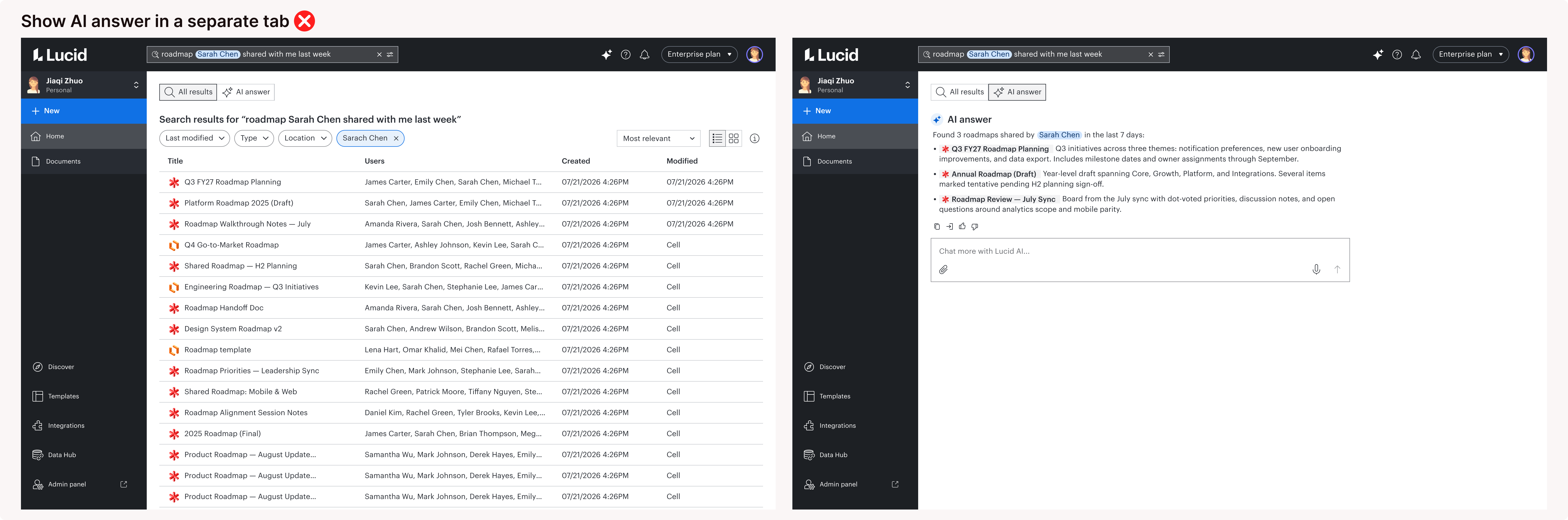
The decision: inline, above the traditional results, collapsed by default. This resolved three things at once.
The obvious path
Build conversation directly into search — turn the AI answer into the start of a chat thread on the results page.
The decision: hand off instead
Lucid already has an AI hub built for back-and-forth with Lucid AI. Building a second, parallel conversational experience inside search would have meant maintaining two chat patterns for the same capability, and blurred what each surface was for — search is where people go to find something fast; the hub is where they go to think something through.
The AI answer includes a "Chat more with Lucid AI" input. Submitting it carries the original query and the AI's answer into the hub, so follow-up picks up in context instead of starting cold. Search stays scoped to what it does best — get people to an answer quickly — while deeper conversation lives where it's already built to happen.
Signaling AI-powered search. New sparkle icon and placeholder text — "What are you looking for?" — nudge people to ask, not just type keywords. That shift in input is what intent-aware search depends on.

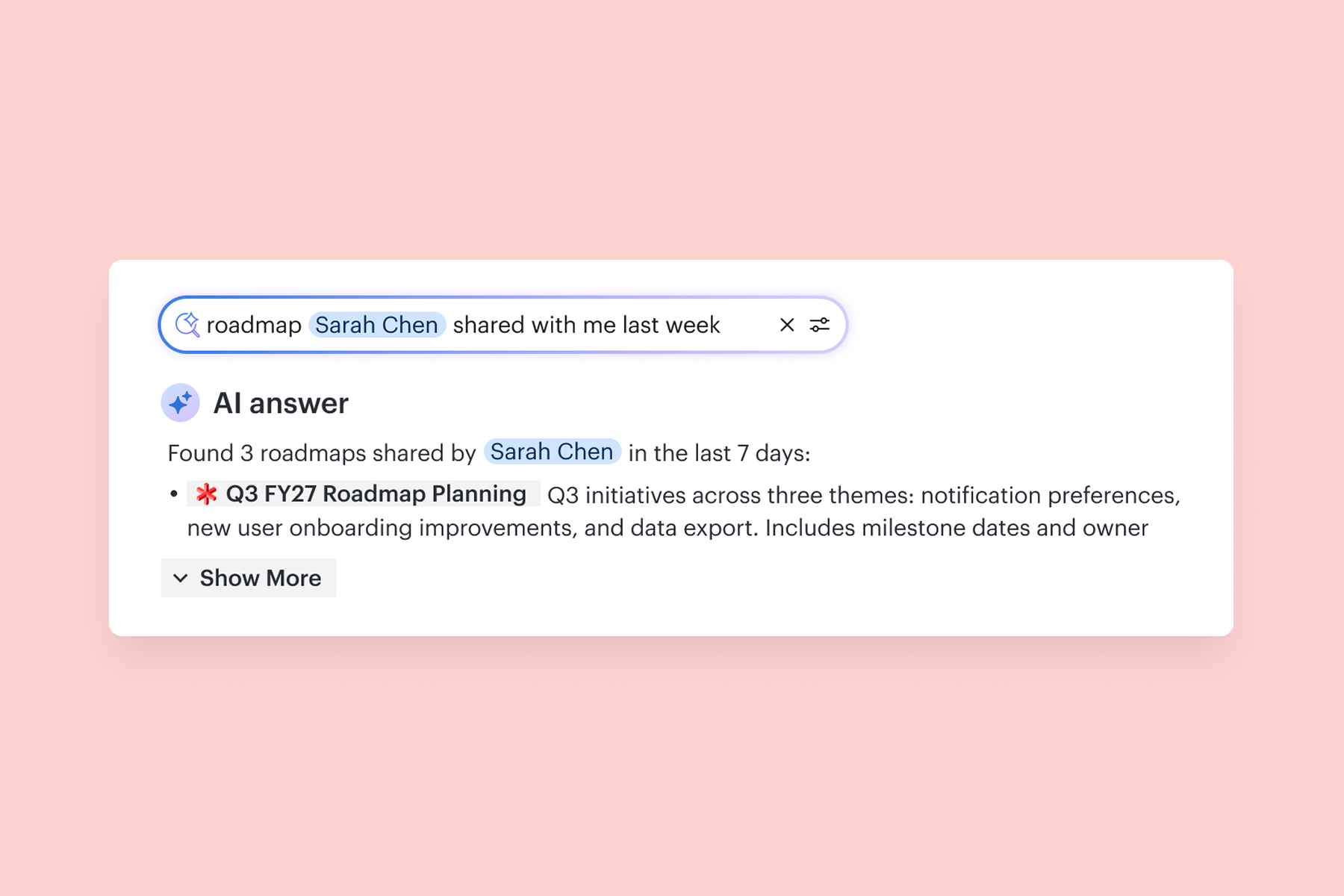
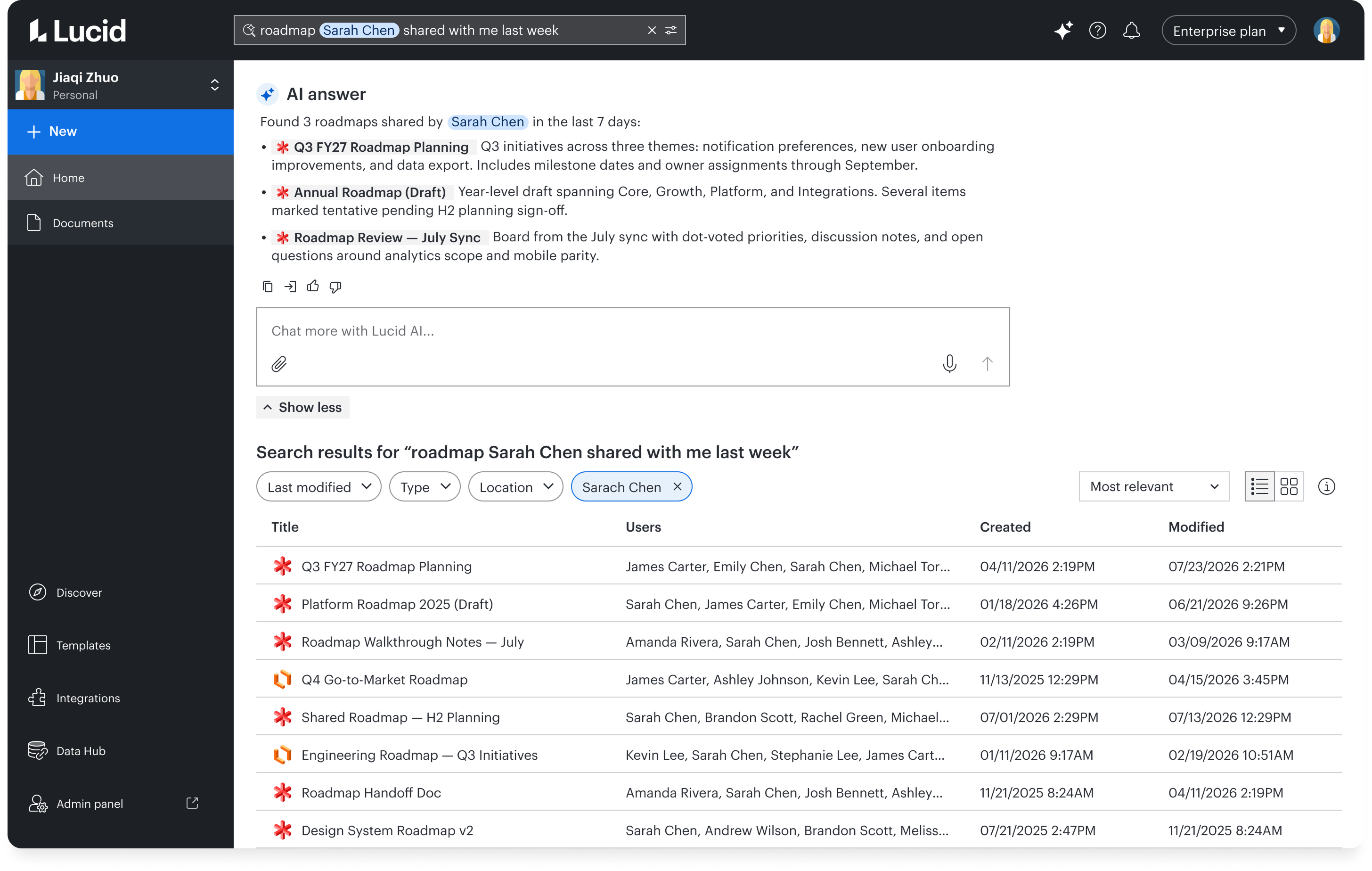
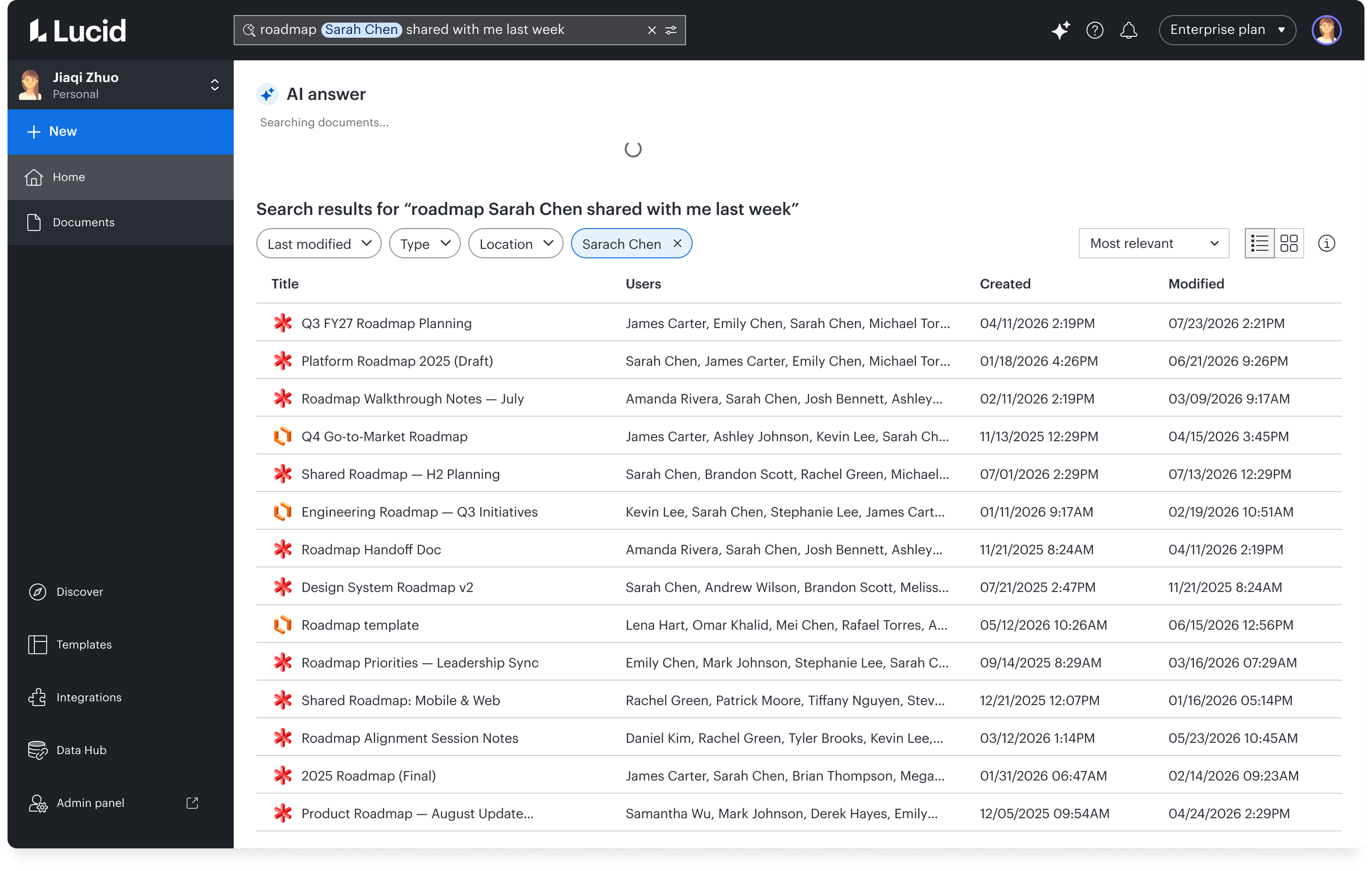
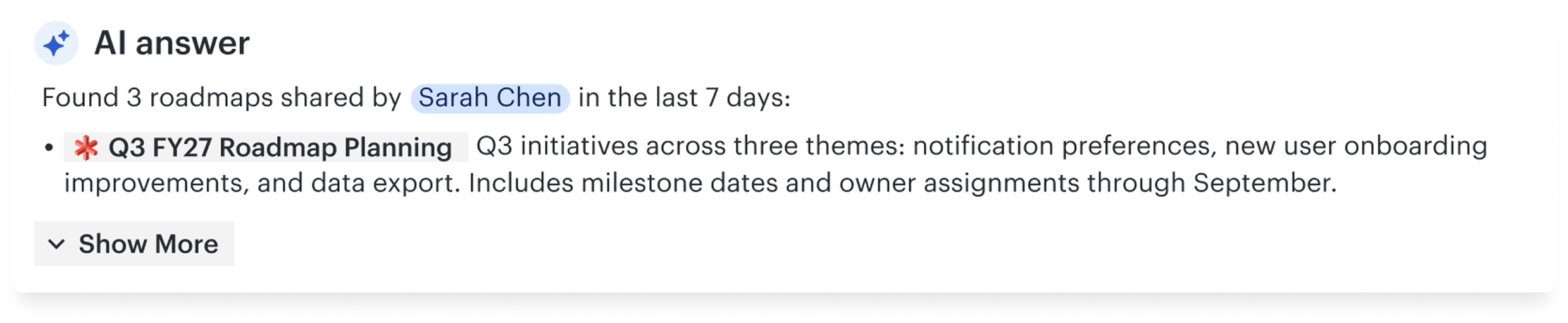
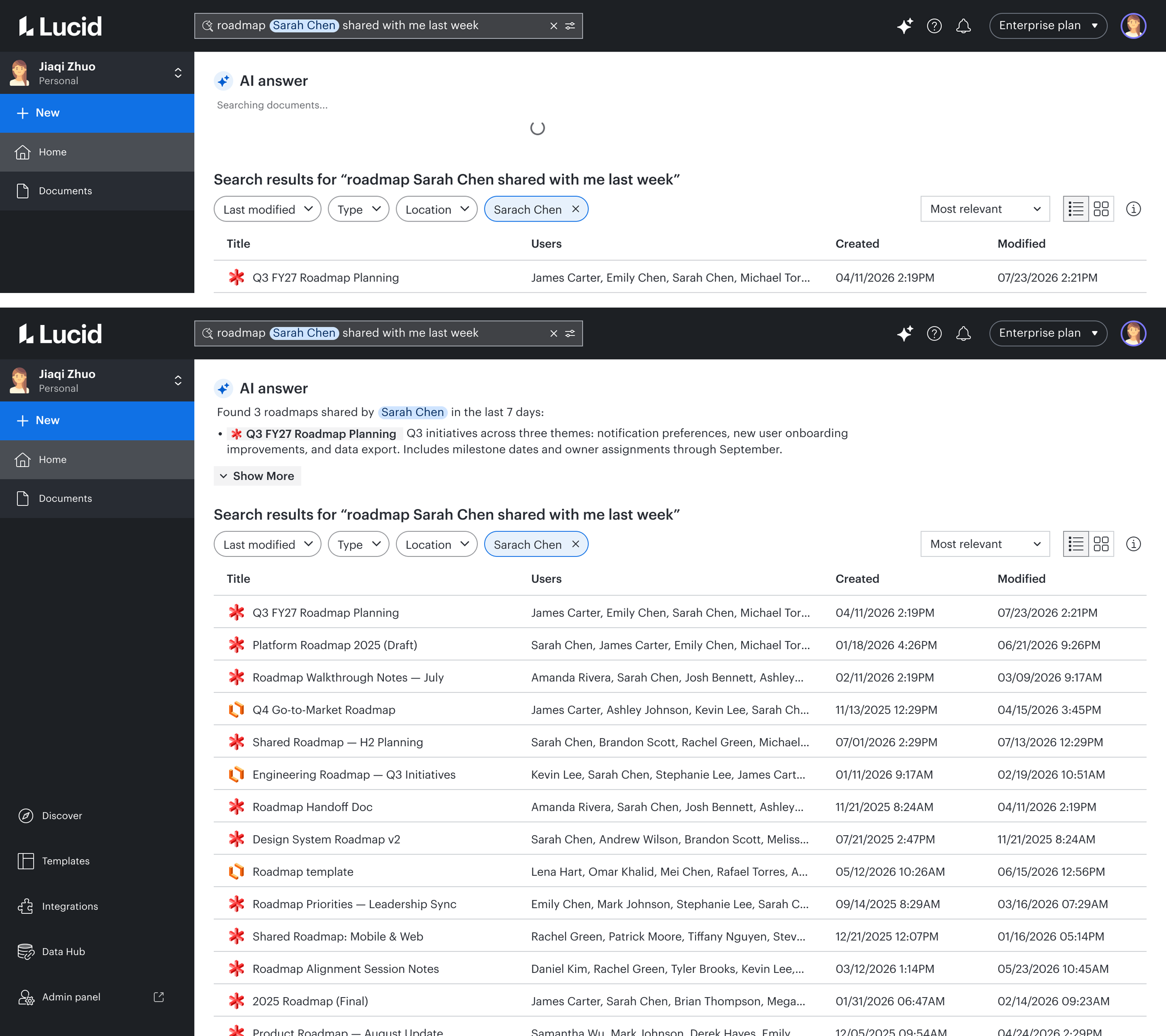
Fast by default, AI layered on top. Traditional results load instantly; the AI answer appears above them in a loading state, so AI's presence is felt right away — then settles into a collapsed view once ready, showing just the top match: a bolded clickable title plus a one-line summary generated fresh for that query. "Show more" expands the rest.
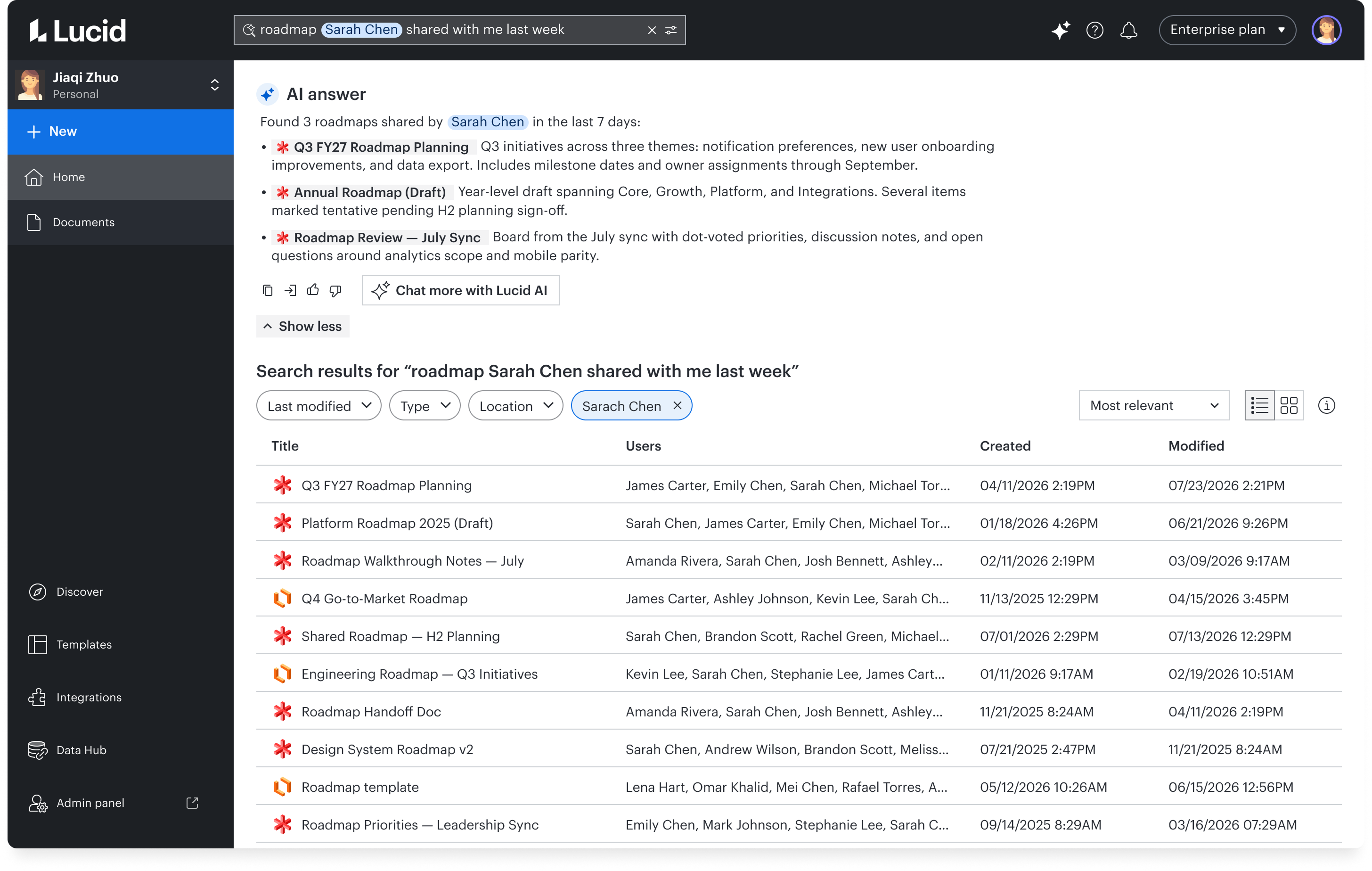
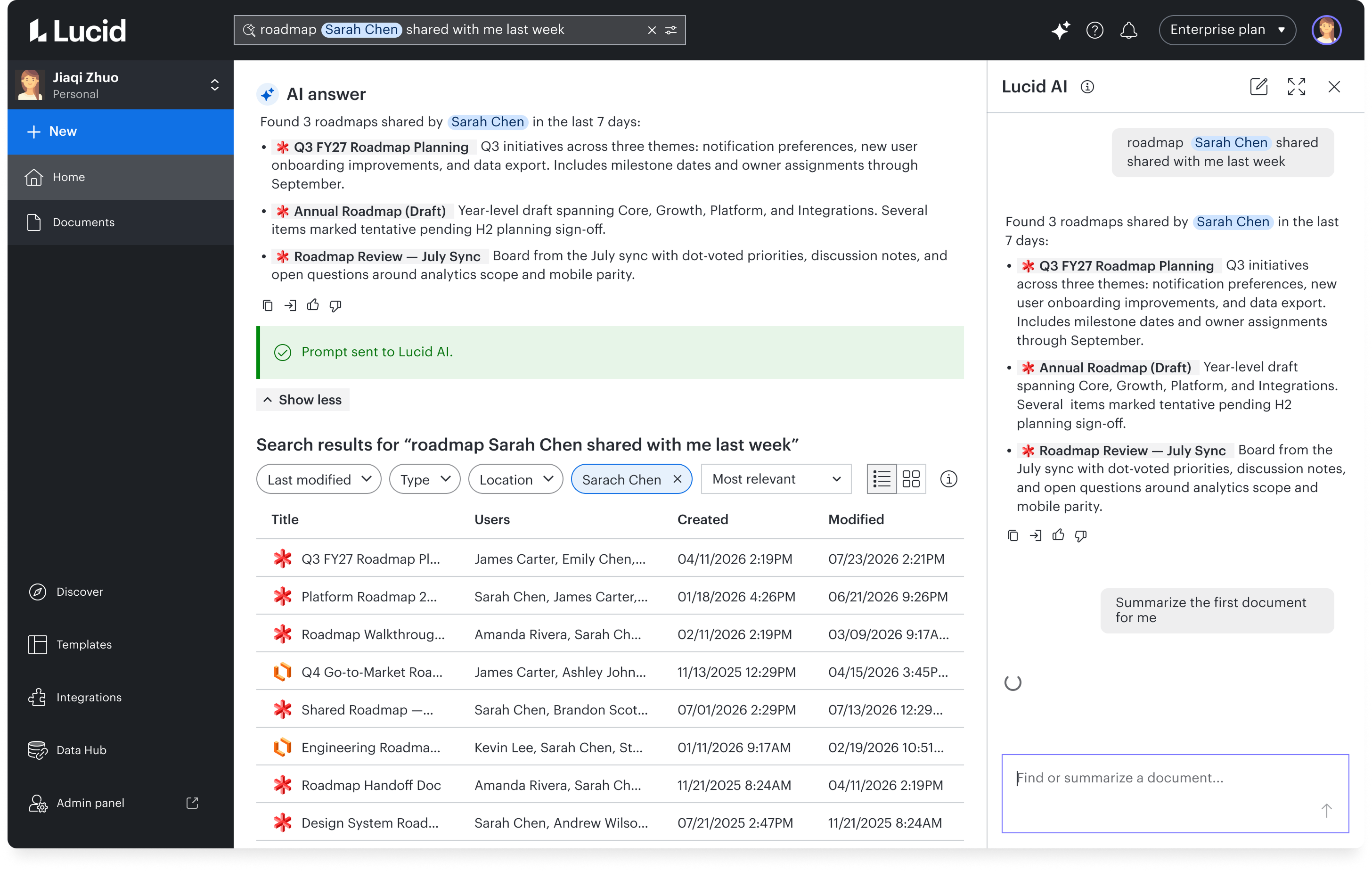
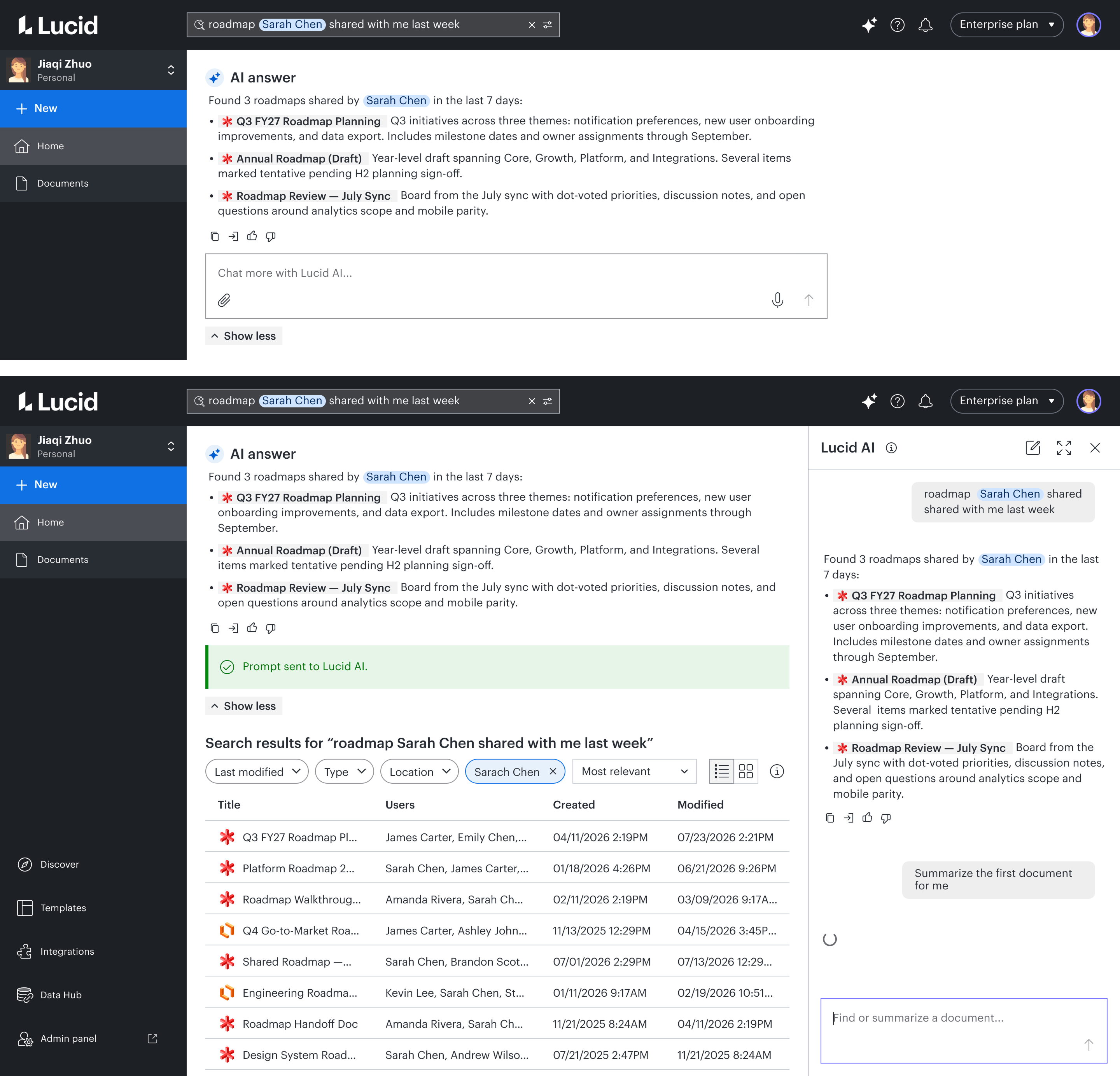
Deeper answers, with a seamless hand-off. Expanding reveals every matched document with its own generated summary, plus an embedded "Chat more with Lucid AI..." input. Typing a follow-up there shows a quiet "Prompt sent to Lucid AI" confirmation, then opens the conversation in Lucid's AI hub, carrying the original query and answer forward so nothing restarts cold. Search stays fast and scoped; the hub takes over for deeper conversation.
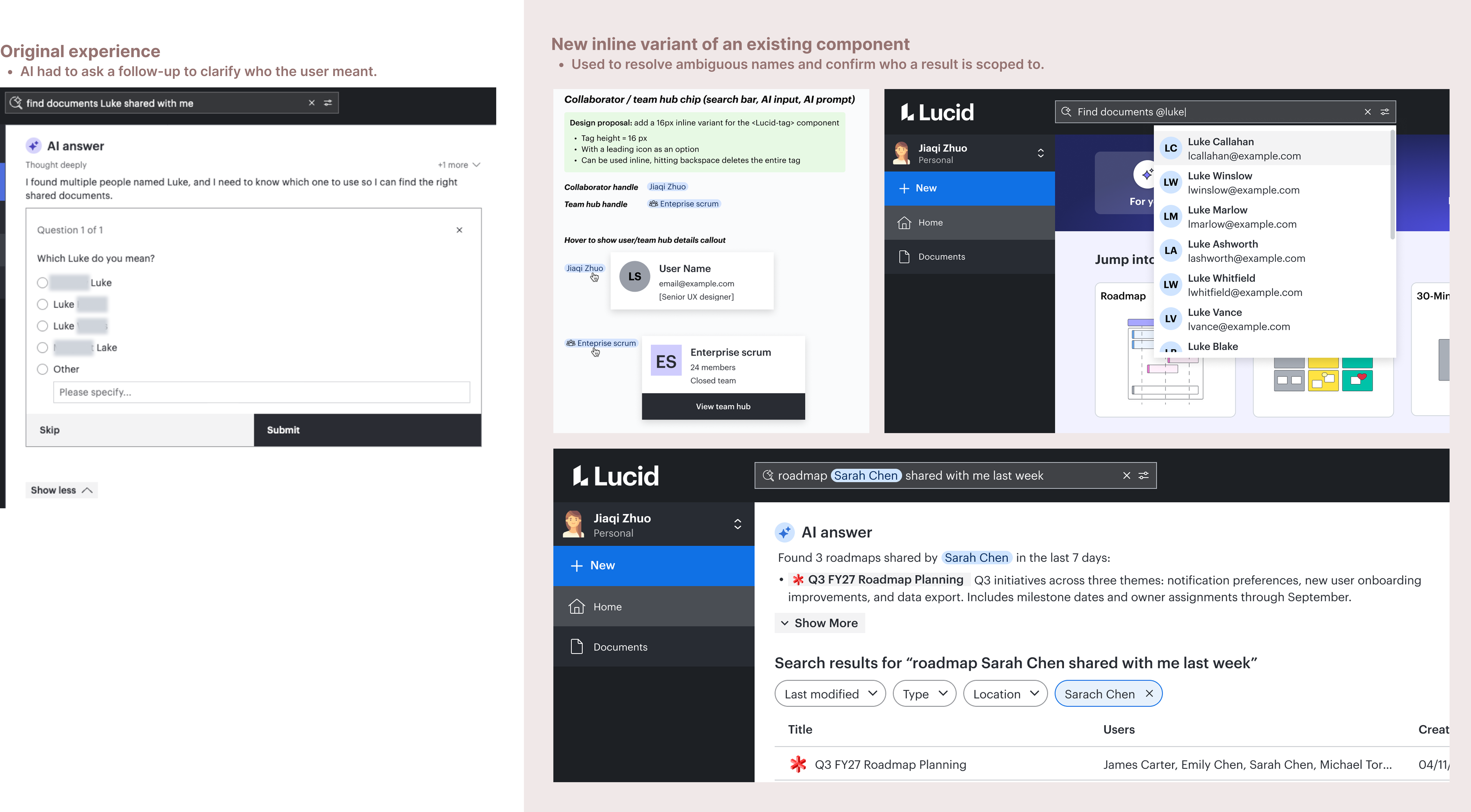
Resolving ambiguity with a chip. Ambiguous names — "documents Peter shared with me" — surface a dropdown to disambiguate. The selected person renders as a chip in both the search input and the AI answer itself ("Found 3 roadmaps shared by Sarah Chen in the last 7 days"), resolving the ambiguity without a back-and-forth and staying visible as confirmation.
Compact answers via inline links. Each AI result flows as a single block — a clickable document title followed directly by its summary — rather than a separate row or card. That compactness is what keeps both the collapsed and expanded states tight enough to sit above the full traditional results.